
Building my first component library
Most companies will have there own component library for what ever framework they use to greatly improve the consistency and efficience of building UI pages. At Go1 we have had the Go1d (short for Go1 Design) component library for almost five years. Over that time, the library has grown to be more mature and support more different UI scenarios. Although I was working at Go1 when Go1d was created, I wasn't really involved in much of the development other than occassionally adding a few components or fixing some bugs. The lack of exposure to the underlining architecture lead me to create a new component library that extended Go1d but for a very specific use case, API Documentation.
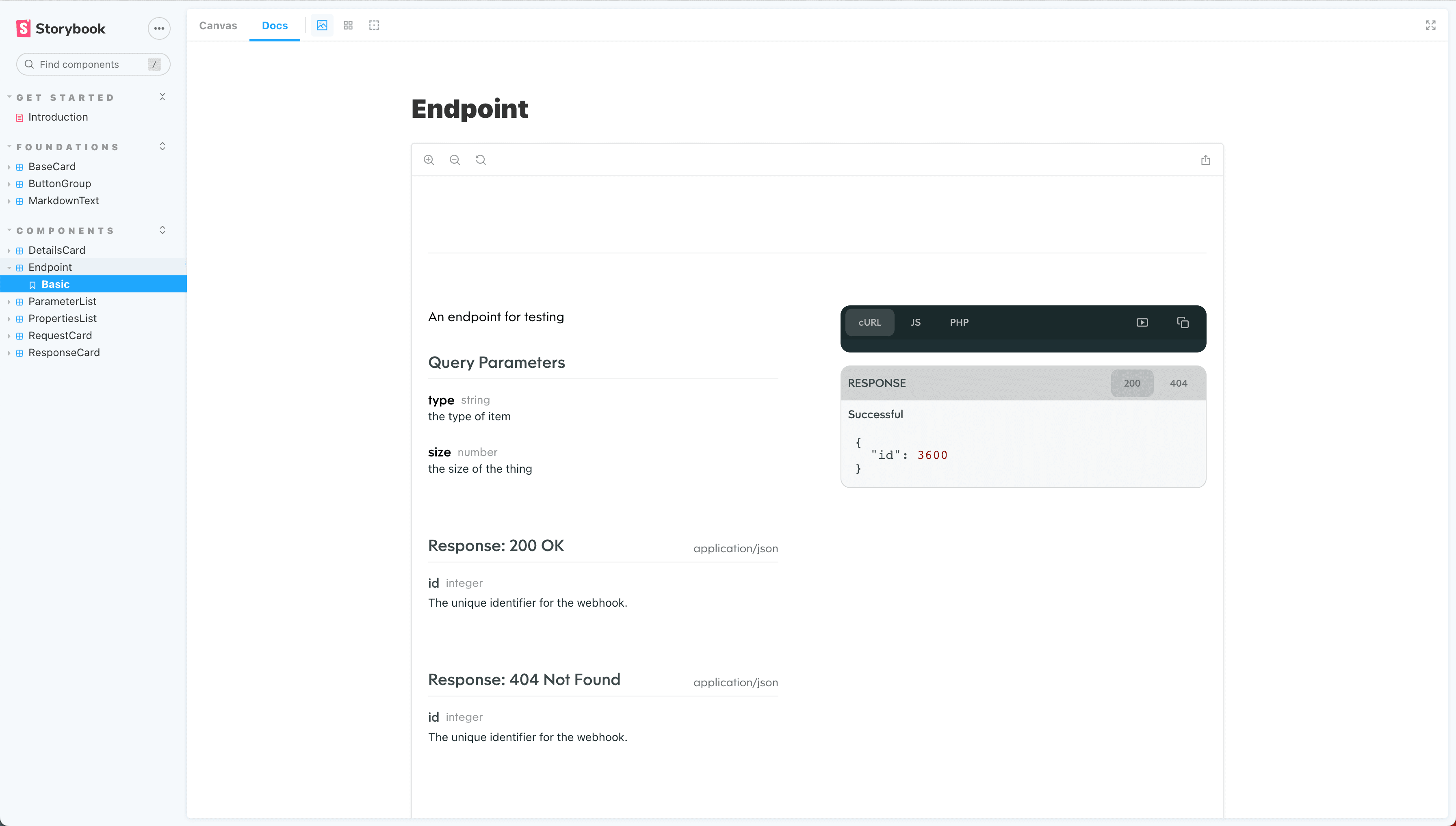
At the beginning of 2022, I was part of the Go1 DevX team, which was responsible for maintaining the exteral API interfaces. Our main goal was just to migrate the current API infrastructure to use a standardised structure with Azure. We didn't get to touch any of the API UIs or documentation but it was definitely on my mind on what we could do to uplift the current API documentation.
Part of mirgrating the current API to use the new infrastructure was to rely more on automated systems that ensured there was less human intervention when publishing new API changes. One of the most common ways to standardise the structure of the API is to use OpenAPI specs (commonly referred to as swagger). These documents written in YAML, clearly outlines the API structure including endpoints, parameters and responses.
Since swagger documents included everything about an API, I kept thinking about how we could build the entire UI based on just the swagger document. There are platforms out there that already do this, but usually it's not super customisable, you just add your swagger doc, select a few config details and it renders everything else for you. I wanted to build a component library that included all the small components to allow for full customisation.
The other advantage of using a react component is that it can be built directly into your app rather than having it hosted on some other platform and needing to use iframes to embed it. Below is the only lines you need to render documenation (including request/response examples) into your app.
import { Endpoint } from 'go1-api-doc'

<Endpoint operations={{ ... }} />
Try out the library yourself